
Gallery View
The gallery view provides a visual way to browse your music collection by album art.
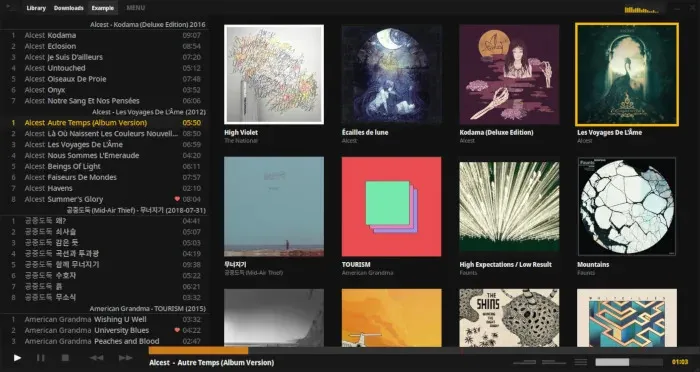
Entering Gallery View
Section titled “Entering Gallery View”There are several ways to enter the gallery:
- Click MENU, then click the gallery layout icon (2nd from the top)
- Press mouse button 4 (the button closer to you on a 5-button mouse)
- Press
Tabto enter in “keyboard control mode”
Using the Gallery
Section titled “Using the Gallery”To play an album, just click it. This is a single click by default, but you can change it to double-click in settings:
Go to MENU > Settings… > View and un-check “Single click to play”
Keyboard Control Mode
Section titled “Keyboard Control Mode”When you press Tab to enter the gallery, you’ll be in keyboard control mode where you can navigate using:
- Arrow keys to move between albums
Enterto play the selected albumEscto exit back to the tracklist view
The gallery is perfect for when you want to browse your collection visually and discover albums based on their artwork!