
Milkdrop Visualisations
Feature to be added in Tauon Music Box 9.0.0
This feature allows you to load Winnamp style .milk visualisations presets. Powered by ProjectM.
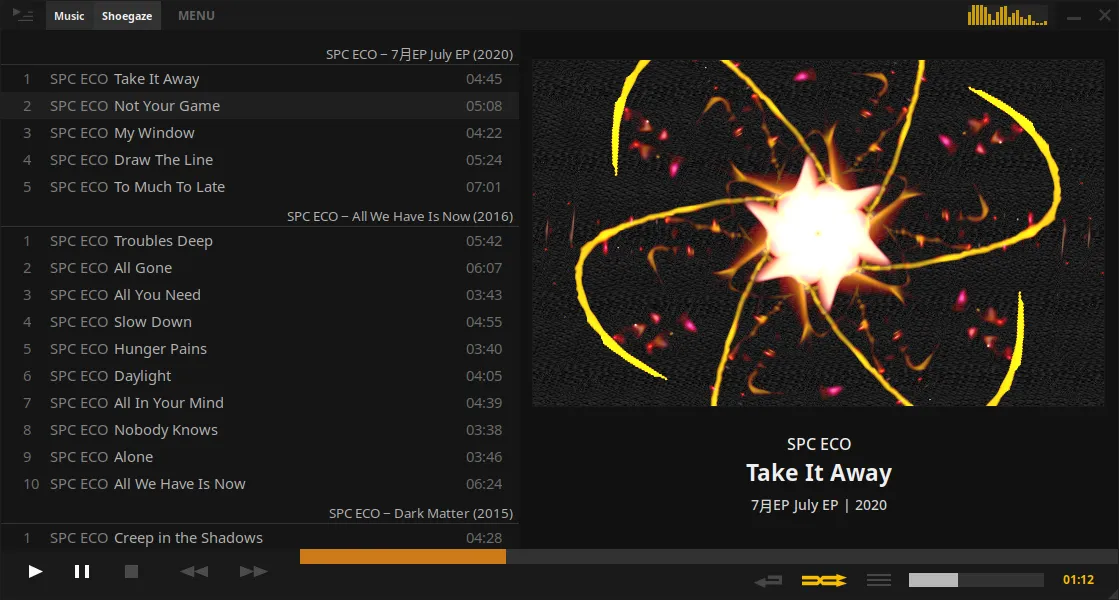
To enable, right click the right side panel album art and choose Enable Milkdrop Visualiser.
Middle click to toggle between square and wide aspect ratio.
Click the visualiser to change to a random one. You can toggle auto advance from the context menu.
Installing presets:
Section titled “Installing presets:”If no presets are present you will be prompted to download a small curated preset pack. Otherwise, you can add your own presets by placing them in the preset folder. Presets must be in .milk “v1” format.
- You can open the preset folder directly from the context menu.
- You can drag and drop a
.milkfile directly into Tauon to load it immediately.
There are a lot of presets out there on the internet but compatibility isn’t perfect. Some may show artifacts or display as a black or white screen.