

Lyrics
Tauon shows lyrics in two places:
- The side panel, in place of the track details
- The Art + Lyrics layout (press
F5, or choose it from the layout menu)
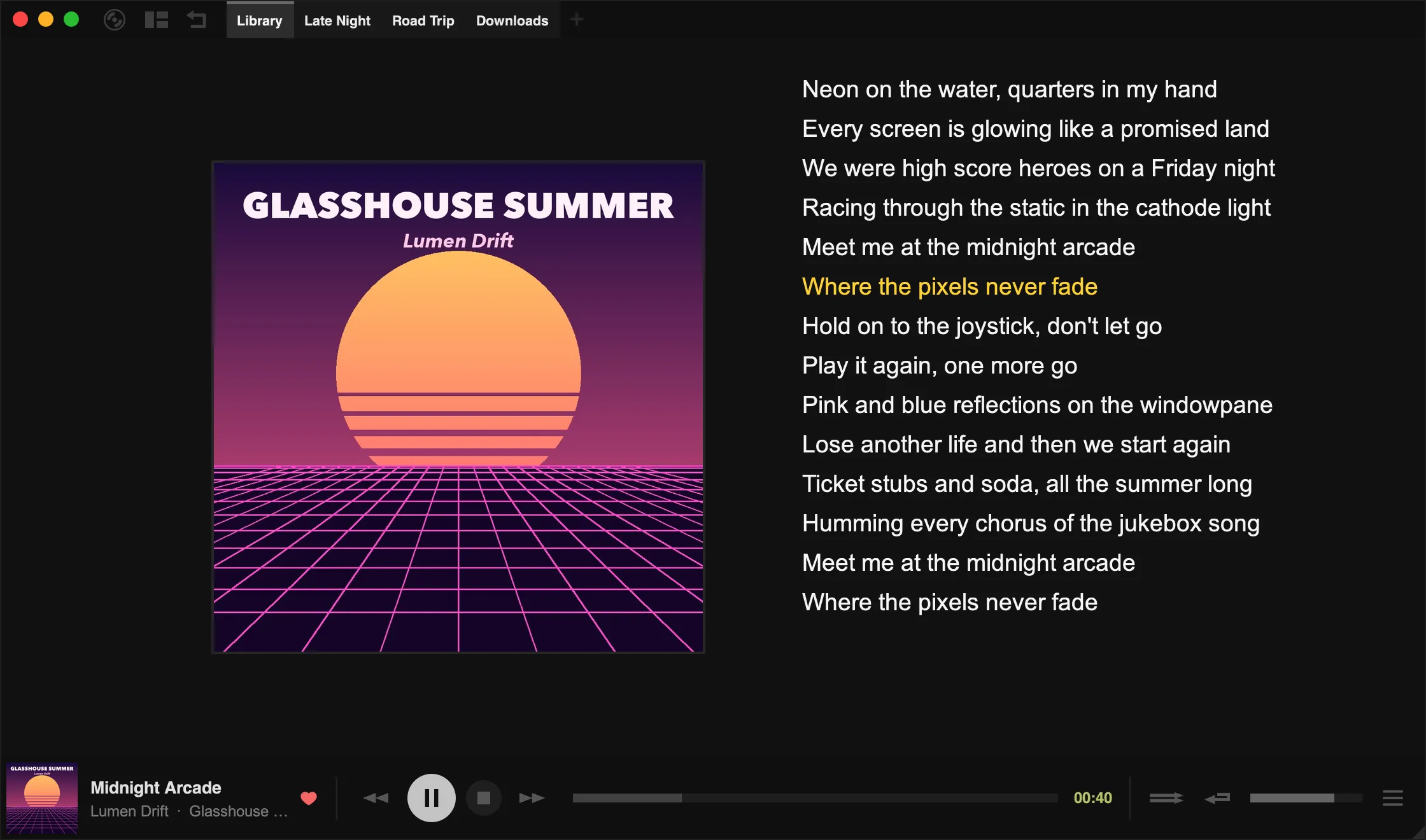
Right-click the lyrics, or the track details in the side panel, for the lyrics menu.
Tauon handles two kinds of lyrics:
- Unsynced lyrics are plain text.
- Synced lyrics have a timestamp on each line. The current line is highlighted and the lyrics scroll along with the song. You can create and fix them in the Synced Lyrics Editor.
Where lyrics come from
Section titled “Where lyrics come from”- Your files: lyrics in the track’s tags are read when you import. A
.lrcfile with the same name as the audio file, in the same folder, is picked up as synced lyrics. For example,clocks.mp3andclocks.lrc. - The internet: choose Search for Lyrics from the lyrics menu. Turn on Auto-search lyrics in Settings › Library › Lyrics to search automatically. The same section lets you choose which lyrics sources to use.
- Your clipboard: choose Misc… › Paste Lyrics.
- Network servers: Jellyfin and Subsonic servers can provide lyrics too.
To re-read lyrics from your files, right-click the track and choose Meta… › Rescan Tags.
The lyrics menu
Section titled “The lyrics menu”| Item | What it does |
|---|---|
| Search for Lyrics | Looks up lyrics online |
| Show Lyrics | Shows lyrics in the side panel instead of the track details whenever lyrics are available |
| Prefer Synced Lyrics | When a track has both kinds, shows the synced lyrics |
| Lyrics Editor | Opens the Synced Lyrics Editor |
| Misc… | Substitute Search, Paste, Copy, and Clear options |
Clear Lyrics and Clear Synced Lyrics remove lyrics from Tauon’s database. Whether lyrics changes are also written to your files is controlled by Save lyrics edits to tags in Settings › Library › Lyrics.
Substitute search
Section titled “Substitute search”If lyrics can’t be found because of how a track is named, for example because of a featured artist in the title, choose Misc… › Substitute Search…. Enter the artist or title to search for instead, then click away to confirm.
To remove a substitution, open Substitute Search… again and clear the field.
Synced lyrics format
Section titled “Synced lyrics format”Synced lyrics use the LRC format. Each line starts with a timestamp in the form [mm:ss.xx]:
[00:34.00]Meet me at the midnight arcade[00:40.30]Where the pixels never fade