

Folder Navigator
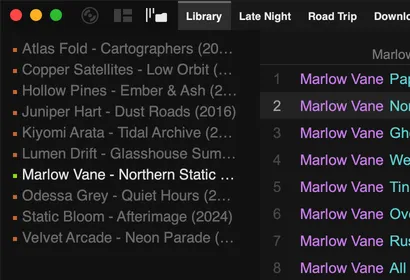
The folder navigator shows the folders in the playlist you’re viewing as a tree. To show it, right-click the side-panel button (the third button in the top-left corner) and choose Folder Navigator.
- Click a folder to open or close it. Clicking a folder that contains tracks also jumps to it in the playlist.
- Double-click a folder that contains tracks to play it.
- Right-click a folder for Open Folder, Filter to New Playlist, Rescan Folder and Collapse All.
- Lock Panel keeps the navigator showing the current playlist while you browse other playlists.