

MilkDrop Visualisations
Tauon can play Winamp-style MilkDrop visualisation presets (.milk files), powered by projectM.
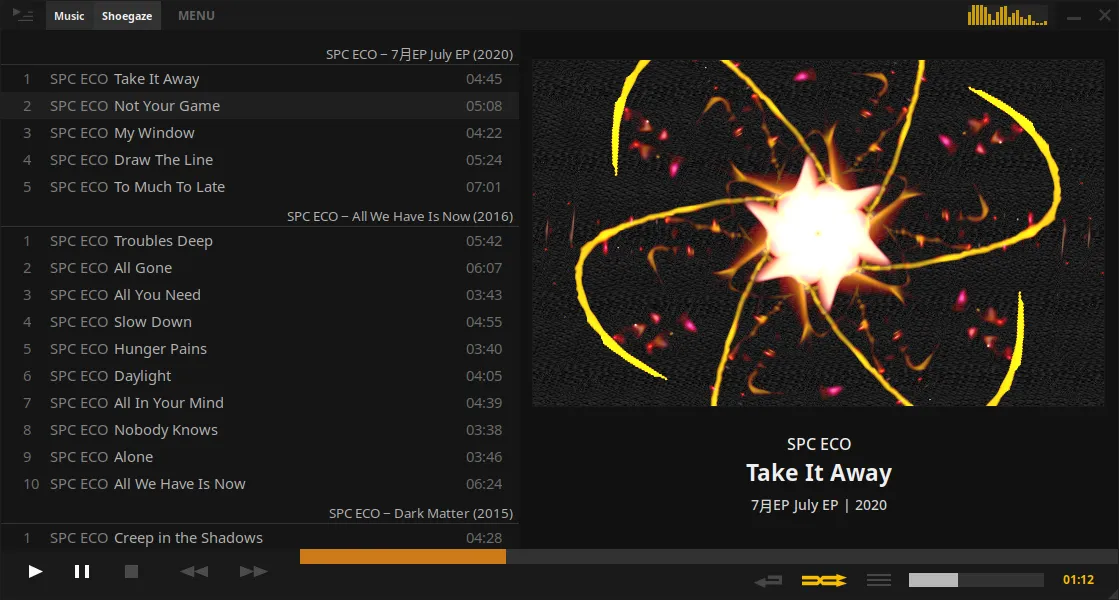
To turn it on, right-click the album art in the side panel and select MilkDrop Visualiser. It replaces the album art while it’s on.
- Click the visualiser to switch to a random preset.
- Right-click it for these options:
- Auto Cycle changes preset every 30 seconds or so.
- Cut Out makes dark areas transparent, so the album art shows through.
- Favorite This Preset marks the current preset as a favourite.
- Choose Preset opens a full-window picker. Type to filter presets, and click the star to show only favourites.
- Enable Wide Mode stretches the visualiser across the Art + Lyrics layout.
- Open Preset Folder opens the folder where presets are stored.
The visualiser is also available as a widget in custom layouts.
Presets
Section titled “Presets”If you have no presets when you turn the visualiser on, Tauon offers to download a small curated preset pack (about 5 MB).
To add your own, put .milk files in the preset folder (use Open Preset Folder), or drag and drop a .milk file onto Tauon to load it straight away. Presets must be in the MilkDrop v1 .milk format.
There are many presets online, but compatibility isn’t perfect. Some may show glitches or display only a black or white screen.